

See each site, cleaner, access window, checklist, and backup plan in one place so recurring work is covered with fewer calls and surprises.
Cover Every Shift
Tie checklists, photos, inspections, issue notes, and closeout records to each site so completed work is easier to defend and improve each week.
Prove the Clean
Track hours, missed shifts, payroll variance, supervisor notes, and site workload so labor problems surface before margins and quality slip fast.
Control Labor Spend
Turn inspections, client feedback, issue follow-up, and service reports into a steadier rhythm for renewals and fewer surprise cancellations.
Protect Accounts
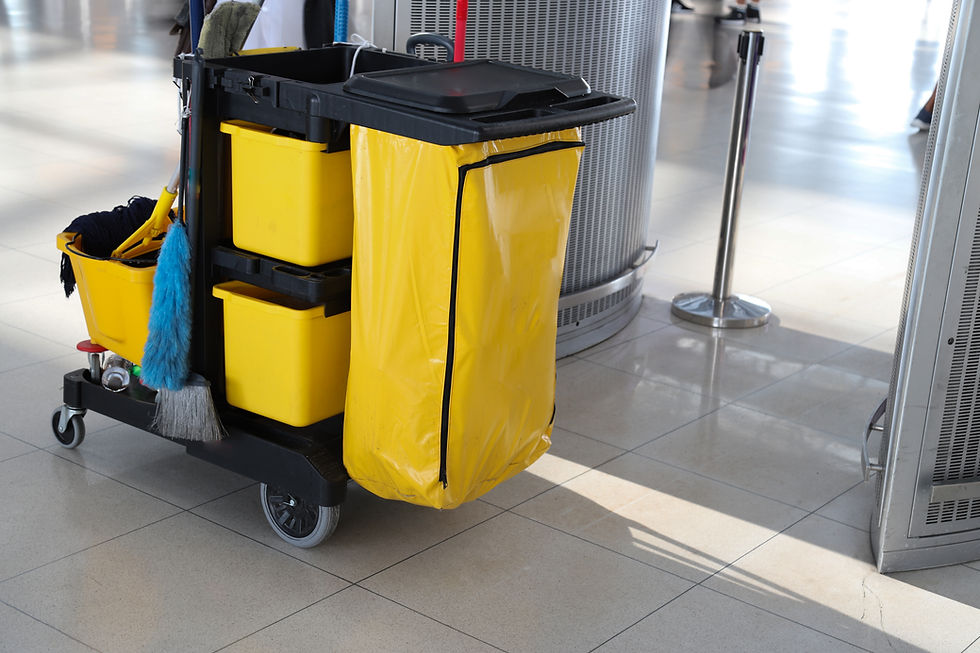


Systems Customized to Meet Your Needs
Our systems are developed around the way cleaning sites, shifts, staff, supplies, inspections, and client accounts actually work together:
Marketing & Visibility - Clarify niches, service areas, site-visit booking paths, proposal standards, and proof points.
Lead Capture & Intake - Capture building type, square footage, scope, frequency, access rules, decision-makers, complaints, and site photos.
Quote & Approval Flow - Track walk-through notes, proposals, scopes, change requests, approvals, contract terms, and invoices.
Scheduling & Staffing - Assign recurring shifts by site, cleaner, supervisor, access window, frequency, backup coverage, and workload.
Field Execution - Give cleaners checklists, site notes, task standards, supply needs, photos, and closeout requirements.
Customer Communication - Send confirmations, issue updates, inspection notes, service reports, invoices, and follow-up.
Service History & Retention - Track site history, complaints, inspections, staffing issues, supplies, renewals, and account risk.
Reviews & Reporting - Track attendance, inspection scores, payroll variance, supply usage, open issues, and client health.
Top Ten Points of Failure for Janitorial / Commercial Cleaning Systems
1. Chronic frontline labor replacement pressure
The research notes high replacement demand in janitorial work and trade guidance connects retention directly to service quality, safety, client satisfaction, and profit. Managers indicate that if turnover is not absorbed by clear schedules, SOPs, and inspections, service consistency drops quickly.
2. Owner-admin overload in small cleaning firms
Owners say one person often juggles scheduling, bookkeeping, training, restocking, client work, and staff issues. When those tasks live in separate tools or in one person’s head, the business stays owner-dependent and growth becomes exhausting.
3. Multi-site scheduling with part-time availability
Managers indicate that cleaners often work variable hours or other jobs, so coverage depends on precise availability, site access windows, backup plans, and shift confirmation. Weak scheduling creates late arrivals, no-shows, and last-minute scrambling.
4. No-shows and late arrivals that break trust
Cleaning buyers complain most about missed shifts and incomplete service. Without clear clock-ins, supervisor alerts, and backup coverage, the company may discover a missed shift only after the client is already upset.
5. Incomplete cleans and inconsistent standards
Clients complain about missed tasks, trash left behind, unvacuumed areas, and cleaners not following expectations. If checklists, scope notes, photos, and supervisor reviews are not tied to each site, quality depends too much on memory.
6. Weak inspection and proof-of-service systems
Operators want proof that work was done across dispersed shifts and sites. When inspections, photos, issue notes, and corrective actions are not recorded cleanly, complaints are harder to diagnose, defend, or recover from.
7. Fragmented apps across payroll, scheduling, billing, and operations
The research notes that many commercial cleaning companies use several disconnected tools and that software learning time is a barrier. Owners need fewer failure points, not another system that crews and supervisors will avoid.
8. Poor real-time visibility into cleaners and supplies
Managers indicate that tracking supplies across buildings, geofenced clock-ins, site communication, and employee performance saves time. Without that visibility, payroll errors, stockouts, and workload imbalances keep surfacing.
9. Account health becomes visible only after cancellation
An owner in the research lost a major account with little warning after weeks of silence. That points to weak feedback loops, inspection cadence, client check-ins, and escalation systems that leave retention risk hidden too long.
10. Fragile local marketing and reputation-management systems
Commercial cleaning owners stress site visits, written scopes, payment terms, and cancellation policies. When scope, frequency, exclusions, and complaint recovery rules are vague, small issues can become churn, refund requests, or margin loss.
Here's How We Address These Issues

Site Intake & Scope
-
Captures site type, size, access rules, frequency, scope, and decision-makers
-
Records walk-through notes, photos, pain points, exclusions, and supply needs
-
Separates recurring cleaning, deep cleaning, floor work, and urgent requests
-
Helps screen accounts that need a site visit, proposal, or manager review
-
Gives managers a cleaner scope before staffing and pricing decisions

Schedule & Labor Control
-
Centralizes recurring sites, shifts, cleaners, supervisors, and coverage status
-
Shows confirmed, clocked in, missed, delayed, inspected, and completed work
-
Connects cleaner availability, backup coverage, site access, and workload
-
Reduces dependence on texts, spreadsheets, memory, and scattered calendars
-
Gives owners clearer labor visibility without constant supervisor check-ins

Cleaner Workflow
-
Gives cleaners simple mobile-friendly steps for each site and service type
-
Supports clock-in, checklist, issue note, photo, supply request, and closeout
-
Standardizes task expectations across crews, buildings, and shift changes
-
Builds supervisor checks into the work instead of relying on memory
-
Helps reduce missed tasks, callbacks, and inconsistent client experience
-

Inspection & Proof
-
Tracks inspection scores, photos, issue notes, corrective actions, and trends
-
Ties complaints and compliments to the site, shift, cleaner, and checklist
-
Documents what was completed, skipped, blocked, or escalated
-
Helps answer client concerns with clearer proof and faster recovery steps
-
Protects accounts by making service quality easier to see and manage

Staff & Supply Rhythm
-
Stores cleaner profiles, availability, training status, and assigned sites
-
Triggers reminders for onboarding, SOP review, inspections, and supplies
-
Supports supply tracking and reorder needs across multiple buildings
-
Helps managers delegate without losing visibility into exceptions
-
Reduces training drift when turnover, growth, or new sites add pressure

Account Growth Backbone
-
Connects website leads, referrals, site-visit requests, and proposal follow-up
-
Tracks reviews, testimonials, renewal dates, client risk, and account notes
-
Helps owners pursue better-fit niches instead of generic cold outreach
-
Gives managers cleaner reporting on leads, booked sites, labor, and quality
-
Supports growth without adding more disconnected apps or manual follow-up
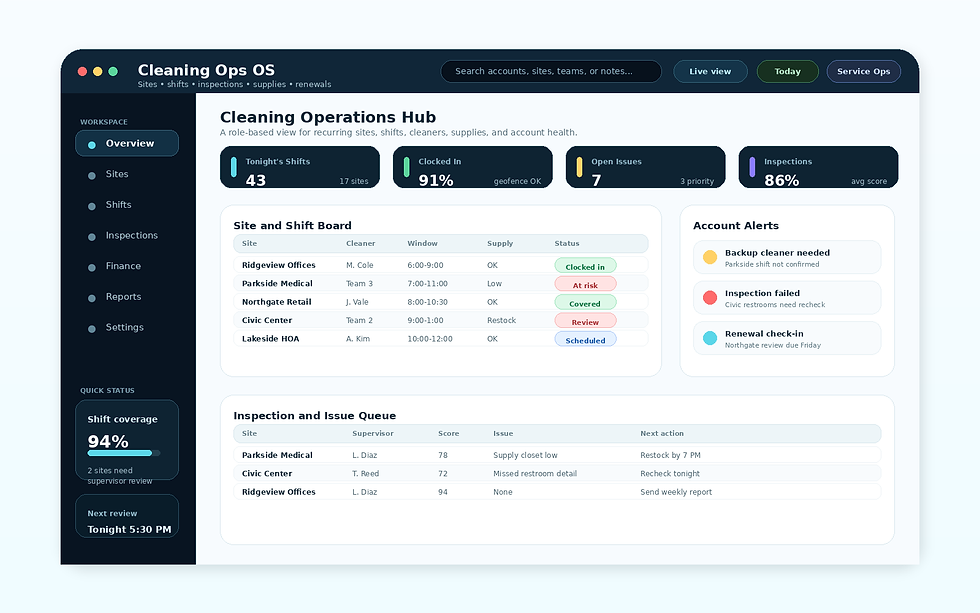
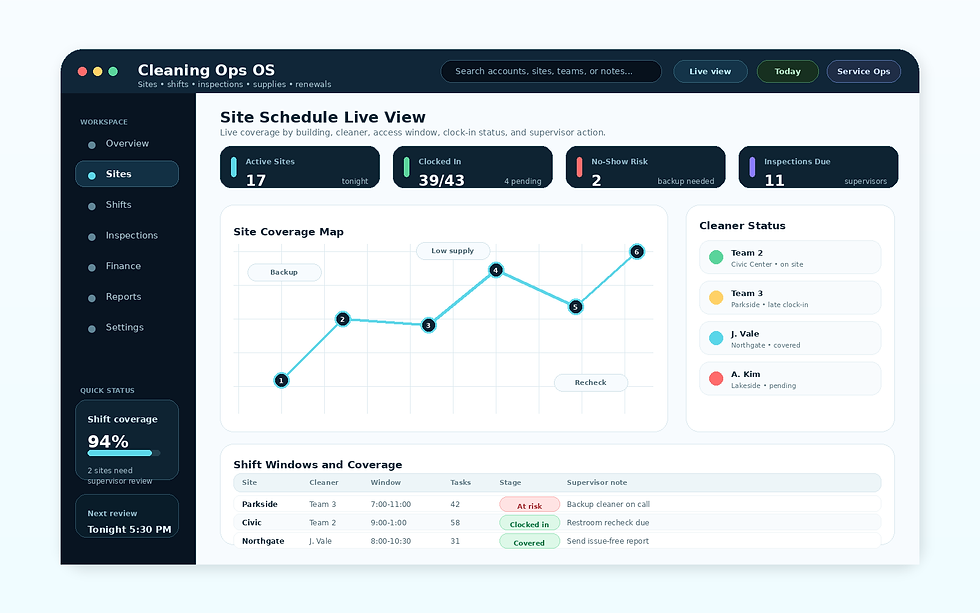
Site Schedule Live View
Shift and site visibility for active buildings, cleaner status, access windows, check-ins, missed tasks, issue notes, and supervisor follow-up. Managers can see what is covered, what is at risk, and what needs a client update without chasing texts.
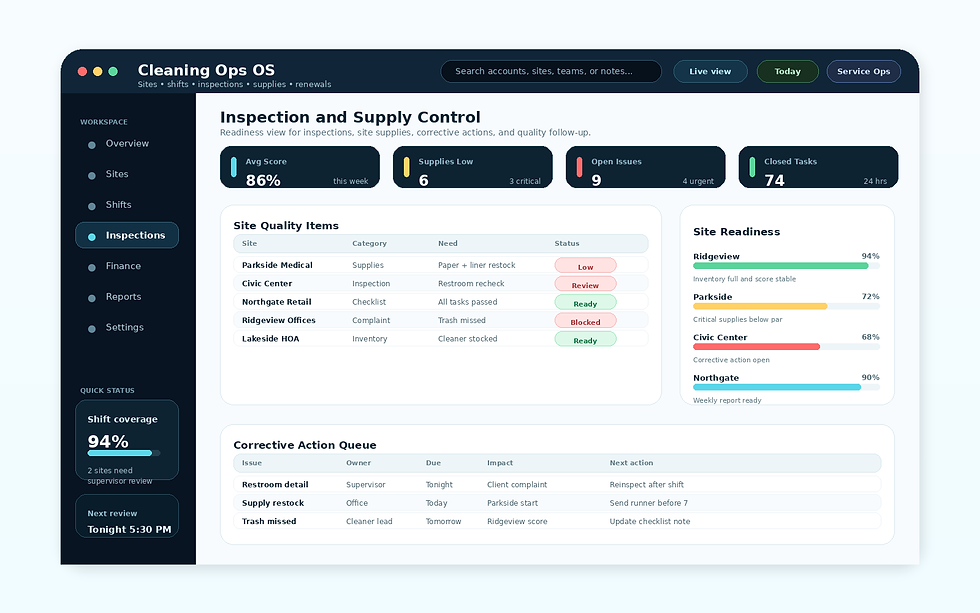
Inspection & Supply Control
A control view for site checklists, inspection scores, complaints, corrective actions, supply needs, and reorder status. The goal is to keep quality and materials visible across buildings before small issues become lost accounts.
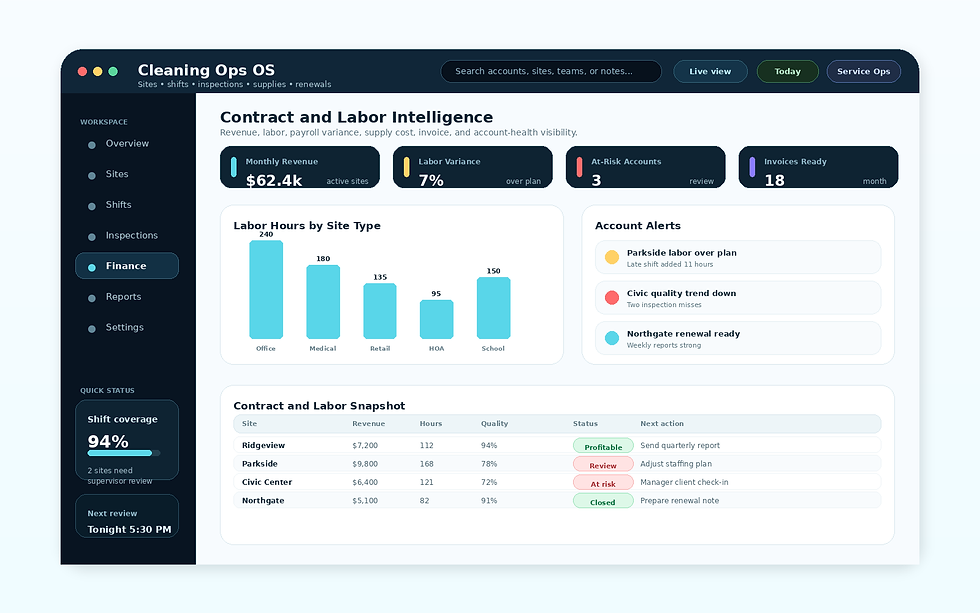
Contract & Labor Intelligence
Revenue, labor hours, payroll variance, supply usage, invoice, renewal, and account-health visibility for cleaning owners. The view shows which sites are profitable, which shifts are strained, and where retention risk needs attention.
Made for Field Teams
Commercial cleaning work happens across buildings, night shifts, supply closets, supervisor visits, and client follow-up. The system needs to work on phones, tablets, and desktops so cleaners can document work in the field while managers keep schedules, payroll, inspections, and account issues moving.

